Define the product and components
Create the product structure, component records, target torque values, batch requirements, approved tools, sequences, and guidance needed for the operation.
Assembly360 combines product identification, guided operator work, controller-result capture, operational-state handling, and product-level reporting in a local assembly workflow.
Create the product structure, component records, target torque values, batch requirements, approved tools, sequences, and guidance needed for the operation.
Add the approved controller and interfaces, then review online, offline, or stale state from the dashboard.
Scan or enter the VIN or assembly ID and confirm that it matches the physical product before work continues.
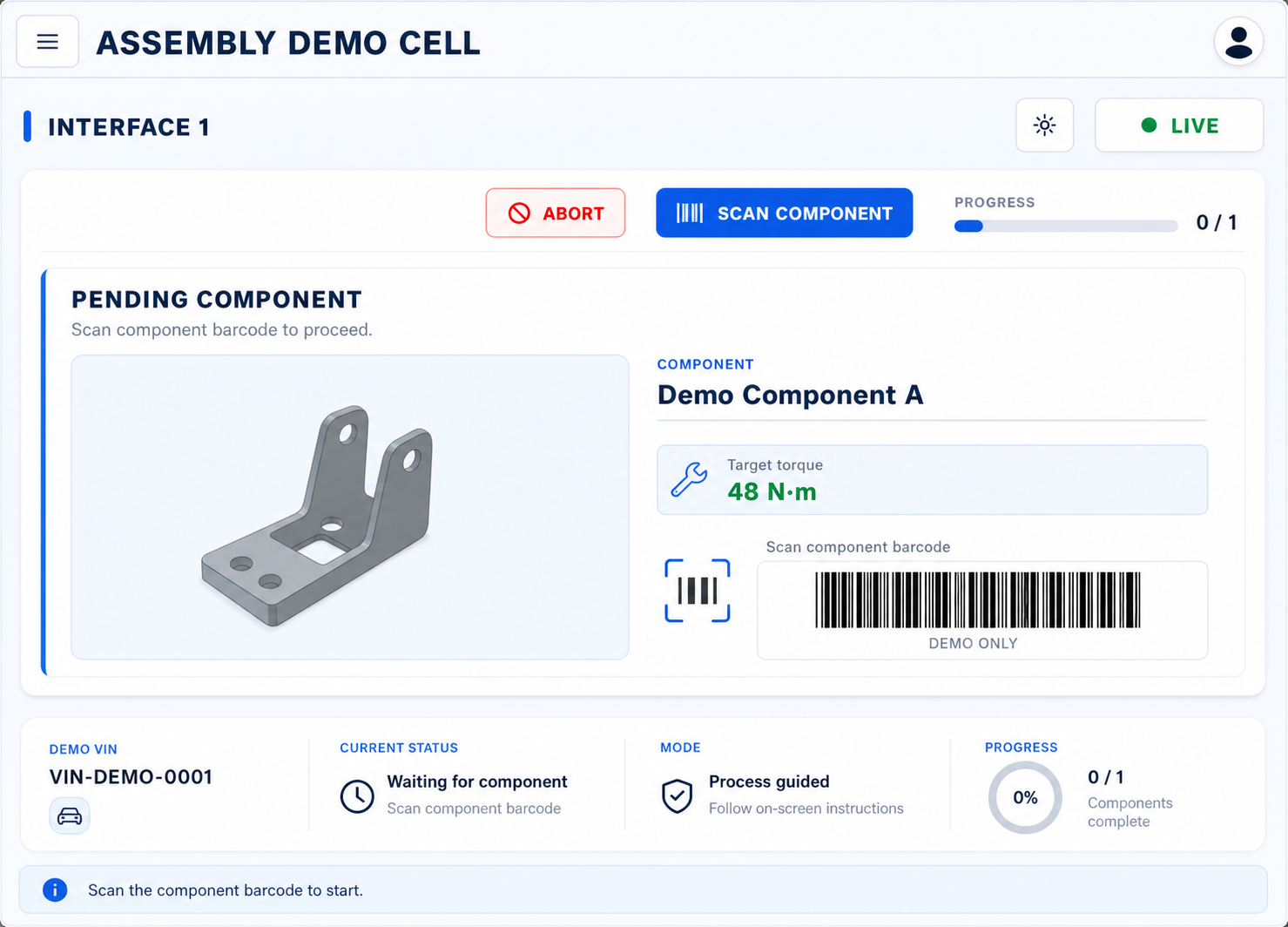
Present pending components, sequence information, batch, target torque, tool, and component-identification step.
Show the active component, current bolt, target torque, progress, state, tool, and guidance image.
Store torque and angle results against the controller, interface, product, component, status, and time.
Preserve NOK, retry, recovered, resumed, repair, replacement, scrap, and abort-requested context without replacing the customer quality procedure.
Search assemblies, review torque results and trends, and generate a VIN-level report for authorised production and quality users.
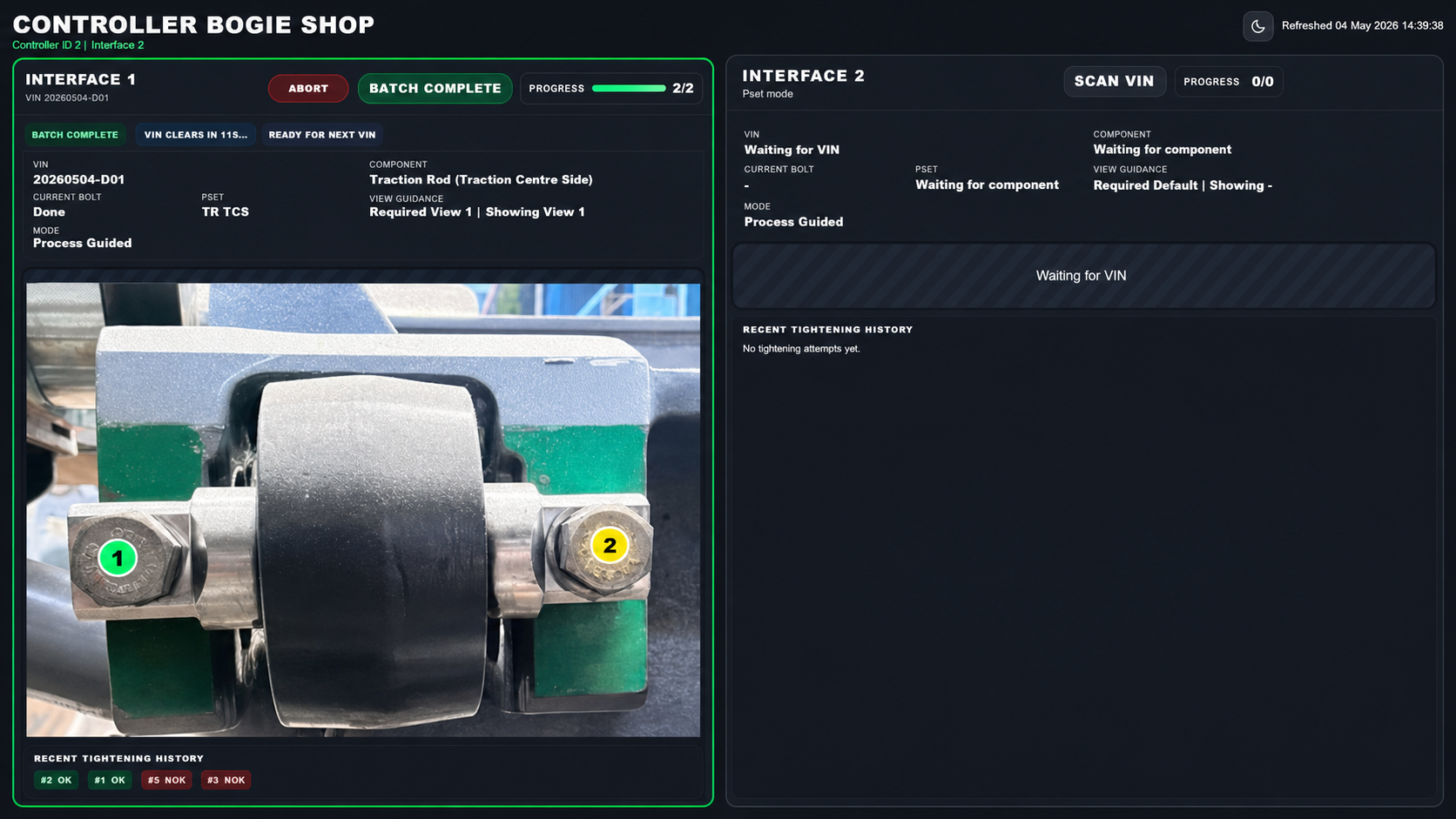
The operator can see the controller and interface, active VIN, component, current bolt, target torque, approved tool, progress, result state, guidance image, and recent tightening history.
If the VIN, component, marker, or state is unclear, the operator stops and escalates rather than continuing by assumption.
Inside the factory Controller communication, operator HMI, production state, traceability records, Process Intelligence, and reports.
On this website Product education, public-safe product views, demo requests, and approved resources.
Share your product-identification method, controller setup, tightening sequence, and reporting need.